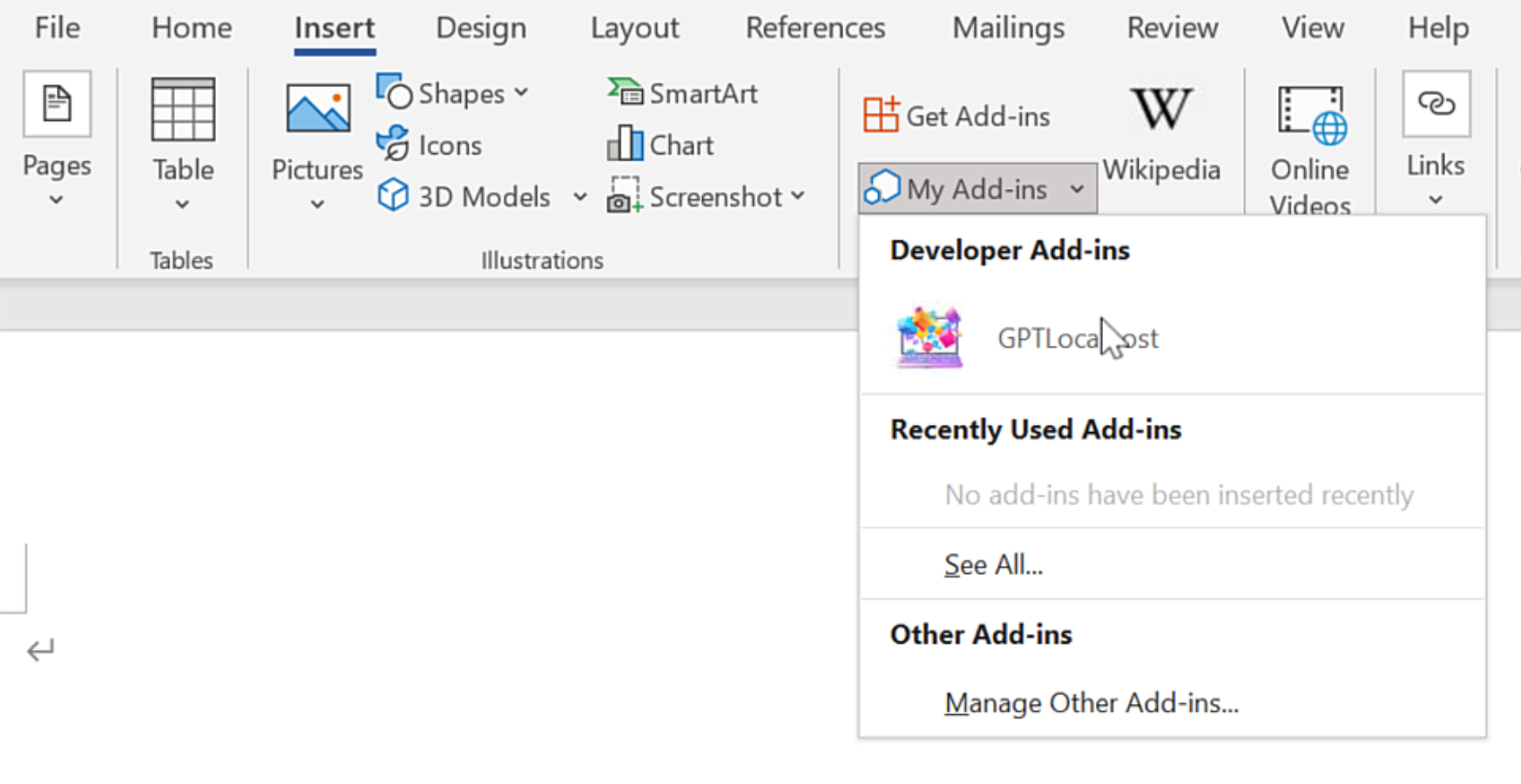
On Windows, “net share” is required for Microsoft Word to access the local Word Add-in.
In Microsoft Word, please install GPTLocalhost Add-in under “Developer Add-ins” to make it run locally.
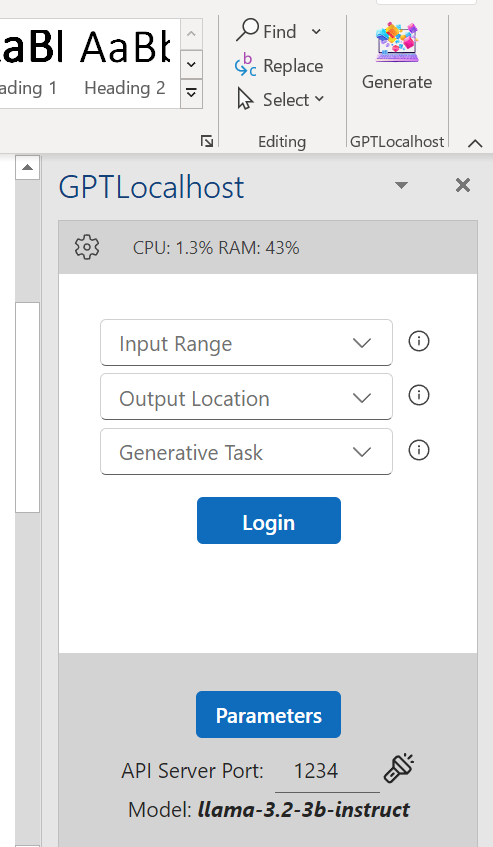
After installation, you can now connect your favorite LLM server in Microsoft Word directly and locally.
Private AI for Word: Contract Analysis and Summarization with IBM Granite 3.2
The Enterprise Standard The transition to professional document automation requires more than just raw text generation; it demands high-fidelity reasoning and a “safety-first” architecture. Private AI for Word read more
Private AI for Word: High-Fidelity Summarization with Mistral Small 3 (24B)
Introduction Private AI for Word has become the primary solution for professionals requiring high-level data security who are increasingly moving away from cloud-based assistants. To achieve a true read more
GPT for Word. Easily Import & Export Your Prompts in GPTLocalhost (100% Private).
Seeking an alternative to Microsoft Copilot? GPTLocalhost offers a local Add-in solution that integrates local LLMs with Microsoft Word seamlessly. If managing numerous prompts is overwhelming, GPTLocalhost simplifies read more
Private AI for Word: Math Reasoning with DeepHermes-3
Introduction Private AI for Word is becoming the primary solution for professionals requiring high-level data security who are increasingly moving away from cloud-based assistants. To achieve a true read more
Private AI for Word: Using DeepSeek-R1 to Calculate IQs Distribution
Need a Microsoft Copilot alternative for complex mathematical reasoning? Learn how to solve advanced problems—like calculating IQ distributions—directly within Word using the DeepSeek-R1-Distill-Qwen-14B model. By running this powerful read more
Private AI for Word: Advanced Math Reasoning with DeepSeek-R1
Introduction Private AI for Word is setting a new benchmark for technical professionals who require rigorous analytical depth without the privacy compromises of cloud-based LLMs. To achieve a read more
AI Paragraph Enhancer: Perfecting Your Topic and Concluding Sentences in Word
Looking for a Microsoft Copilot alternative to refine your writing skills and enhance paragraph structures? Consider this solution to automatically generate topic sentences and concluding sentences. A topic read more
Transformer Lab: A Specialized Local AI Host for Private Word Drafting
If you need more than a basic chat interface, Transformer Lab is a specialized local AI host designed for the “power user.” It is a cross-platform, open-source tool read more
Effortless AI Rewrite in Word: Refine Your Drafts Until Perfectly Satisfied
Looking for a Microsoft Copilot alternative to enhance your writing efficiency? Consider effortlessly rewriting text multiple times in seconds. You can achieve this in Microsoft Word by utilizing read more
Multilingual AI Writing: One Prompt, Every Language
Looking for a Microsoft Copilot alternative for translation? You can achieve this in Microsoft Word by utilizing local LLMs for any languages you need. In a fast-paced global read more
Technical Control: How GPTLocalhost Secures Your Data
Most AI tools for Word are “Cloud Add-ins,” which act as windows to a remote server. GPTLocalhost is built differently. We utilize a specific architecture designed for local development and private sideloading, ensuring your data remains entirely under your total control.
The Microsoft “Local-Only” Advantage
According to the official Microsoft Office Add-in specification, the platform allows for “Localhost” manifests. This unique technical feature was originally designed by Microsoft to let developers build and test Add-ins locally without ever deploying them to a public cloud or external server.
GPTLocalhost leverages this specific loophole to provide 100% data ownership. By running as a local Add-in that communicates exclusively with your own machine, we guarantee:
No External Endpoints: Your text is never sent to a third-party API or cloud processing center.
The “Development” Security Standard: We treat your daily workspace with the same isolation that engineers use for top-secret prototypes.
Complete Private Ownership: Because the Add-in exists and runs entirely on your local server, you maintain absolute authority over your intellectual property.
Why This Matters for Professionals
For legal, medical, and financial professionals, a “Privacy Policy” is just a promise—but a local manifest is architectural proof. By utilizing Microsoft’s own local-only specs, GPTLocalhost provides total control over your data, bypassing the cloud vulnerabilities that affect tools like Microsoft Copilot and ChatGPT.