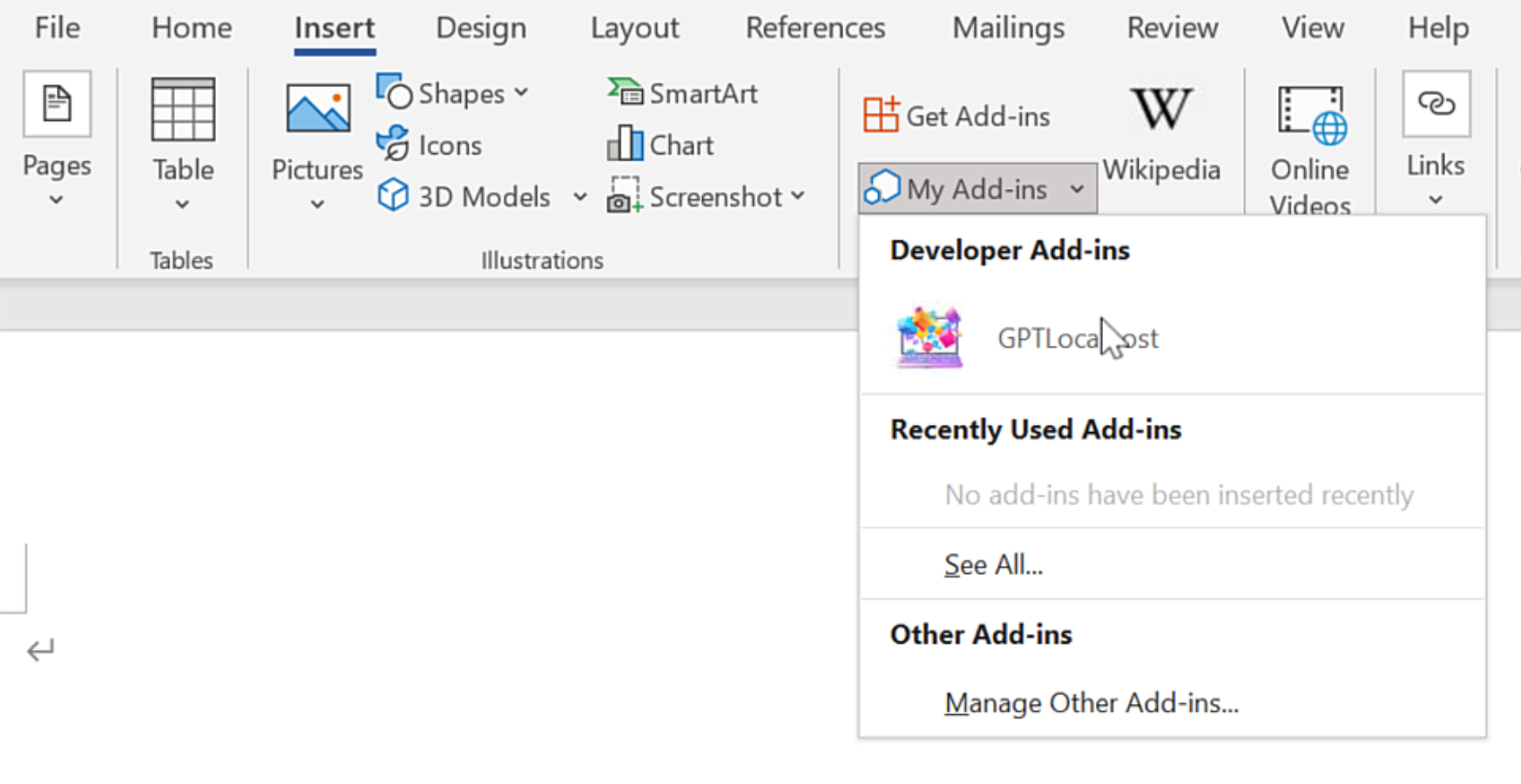
On Windows, “net share” is required for Microsoft Word to access the local Word Add-in.
In Microsoft Word, please install GPTLocalhost Add-in under “Developer Add-ins” to make it run locally.
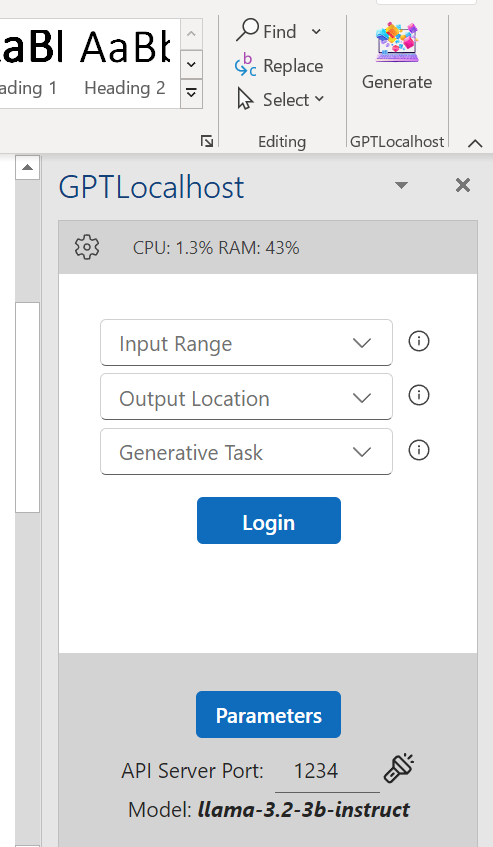
After installation, you can now connect your favorite LLM server in Microsoft Word directly and locally.
Private AI for Word: Using Qwen3 and Phi-4 for Constrained Writing
What is Constrained Writing? In professional drafting, Constrained Writing is the art of generating text that must adhere to strict rules, patterns, or limitations. Unlike free-form creative writing, read more
Private AI for Word: Using GLM-4-32B-0414 or Gemma-3-27B-IT-QAT?
Looking for a way to leverage private and powerful GPT models within Microsoft Word? Consider the recently released GLM-4-32B-0414 series models. Its performance is comparable to OpenAI’s GPT read more
Private AI for Word: Using Powerful Gemma-3 QAT Models for Text Rewriting
Introduction In the landscape of Private AI for Word, the ability to transform and polish professional prose without sacrificing data security is a high-priority requirement. For legal, medical, read more
Private AI for Word: Using Reka Flash 3 for Creative Writing and Reasoning
What is Reasoning-Based Creative Writing? In professional drafting, Creative Writing often requires more than just “generating text”—it requires the model to follow a logical thread, maintain a consistent read more
Private AI for Word: Using Skywork-OR1 for Math Reasoning
If you’re seeking private GPT models for Microsoft Word, consider the latest Skywork-OR1 (Open Reasoner 1) models. This series consists of powerful math and code reasoning models trained read more
Private AI for Word: A Taste of General Intelligence with Cogito-32B
Private AI for Word represents the next frontier in data ownership, allowing users to experience a taste of general intelligence directly within their document creation. According to Deep read more
Private AI for Word: Using Gemma 3 (27B) for Summarization
If you’re exploring alternatives to Microsoft Copilot, consider Google’s newly released Gemma 3, a new family of state-of-the-art, lightweight open models designed to run efficiently on single GPUs read more
Private AI for Word: Creative Writing and Complex Reasoning with QwQ-32B
The Breakthrough: A Compact Reasoning Model with Cutting-Edge Performance Private AI for Word deployment is now more powerful than ever thanks to the arrival of QwQ-32B, a model read more
Private AI for Word: Using QwQ-32B to compare 9.9 and 9.11
If you’re seeking an alternative to Microsoft Copilot, consider Qwen’s newly released QwQ-32B. This open-source LLM excels in complex reasoning and holds its own against larger models like read more
Msty: A Powerful Local LLM Host for Private Word Drafting
If you are looking for a robust alternative to Microsoft Copilot that offers total control over your model selection, Msty (formerly Msty Studio) is a premier choice for read more
Technical Control: How GPTLocalhost Secures Your Data
Most AI tools for Word are “Cloud Add-ins,” which act as windows to a remote server. GPTLocalhost is built differently. We utilize a specific architecture designed for local development and private sideloading, ensuring your data remains entirely under your total control.
The Microsoft “Local-Only” Advantage
According to the official Microsoft Office Add-in specification, the platform allows for “Localhost” manifests. This unique technical feature was originally designed by Microsoft to let developers build and test Add-ins locally without ever deploying them to a public cloud or external server.
GPTLocalhost leverages this specific loophole to provide 100% data ownership. By running as a local Add-in that communicates exclusively with your own machine, we guarantee:
No External Endpoints: Your text is never sent to a third-party API or cloud processing center.
The “Development” Security Standard: We treat your daily workspace with the same isolation that engineers use for top-secret prototypes.
Complete Private Ownership: Because the Add-in exists and runs entirely on your local server, you maintain absolute authority over your intellectual property.
Why This Matters for Professionals
For legal, medical, and financial professionals, a “Privacy Policy” is just a promise—but a local manifest is architectural proof. By utilizing Microsoft’s own local-only specs, GPTLocalhost provides total control over your data, bypassing the cloud vulnerabilities that affect tools like Microsoft Copilot and ChatGPT.