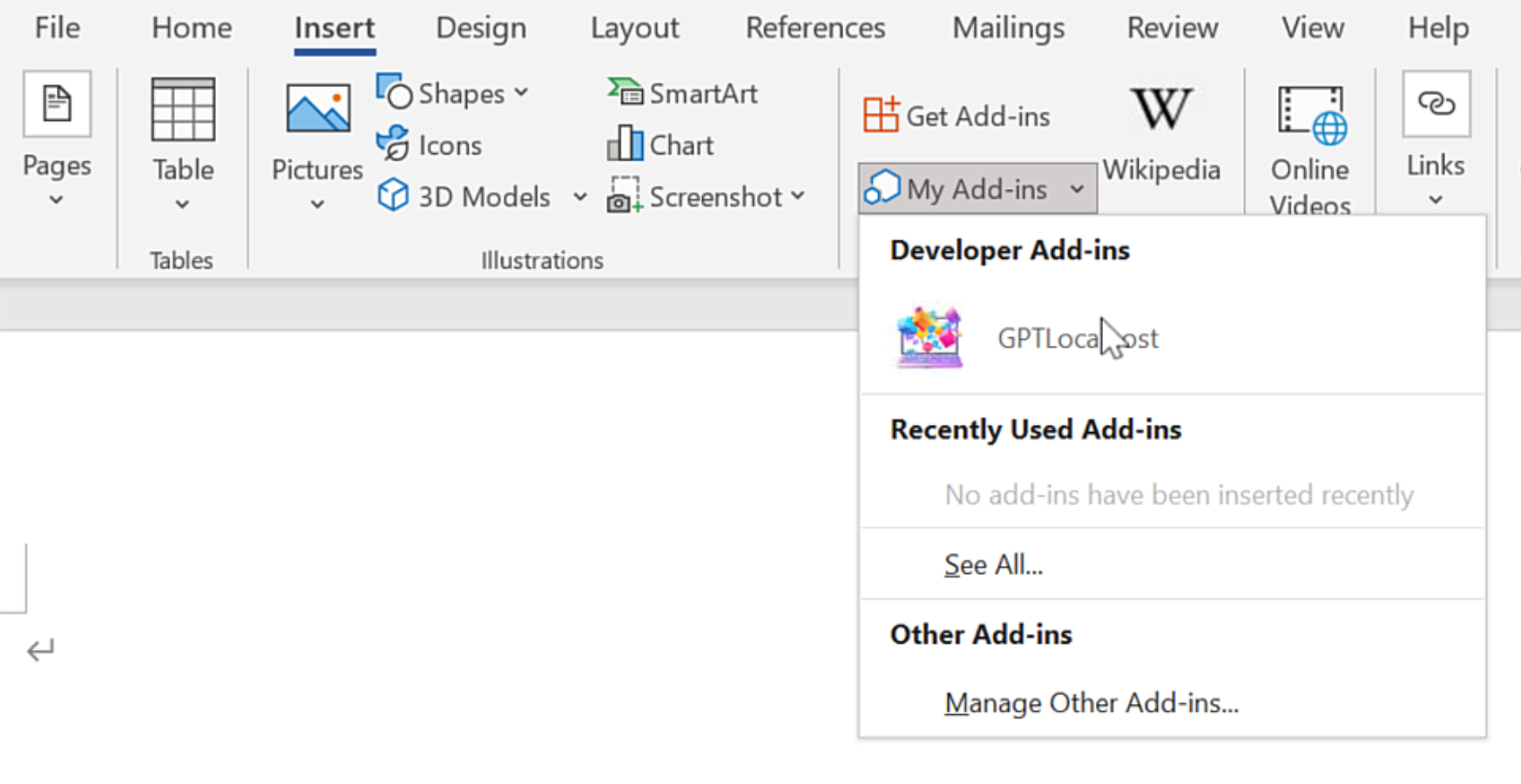
On Windows, “net share” is required for Microsoft Word to access the local Word Add-in.
In Microsoft Word, please install GPTLocalhost Add-in under “Developer Add-ins” to make it run locally.
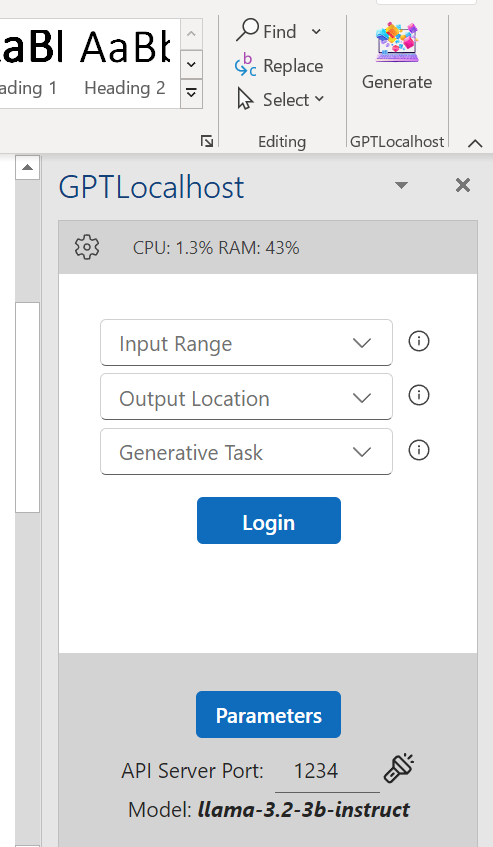
After installation, you can now connect your favorite LLM server in Microsoft Word directly and locally.
Why Local LLMs in Word Offer 5 Clear Benefits Over Microsoft Copilot
Introduction: The AI Dilemma in Professional Document Creation Why using Local LLMs in Word? In the race to adopt Artificial Intelligence, many businesses and professionals face a difficult read more
Use Both Local and Cloud LLM in Microsoft Word — Seamlessly
Most people think they have to choose between the privacy of local LLM models and the power of cloud LLMs. But with the right setup, you can actually read more
Private AI for Word: Using GPT-OSS-20B and Phi-4 for Text Rewriting
Introduction Professionals requiring high-level data security are increasingly moving away from cloud-based assistants. To achieve a true private Microsoft Copilot alternative, users must deploy a Local LLM directly read more
Private AI for Word: Apple Intelligence
At the 2025 Worldwide Developers Conference, Apple introduced its new Foundation Models framework, which gives app developers direct access to the on-device foundation language model at the core read more
Private AI for Word: Using DeepSeek-R1-0528 or Phi-4 for Math Reasoning
If you’re interested in leveraging Private AI for Word while ensuring data privacy, consider exploring the DeepSeek-R1-0528 and Phi-4 series models through GPTLocalhost. You can watch a quick read more
Register Your Device to Use GPTLocalhost Completely Offline ✈️
In today’s digital age, safeguarding personal privacy is more important than ever. With GPTLocalhost, you can effortlessly run local LLMs directly within Microsoft Word. In contrast to most read more
AI Markdown to Word: Automatic Formatting for Seamless Drafting
The “copy-paste tax” is the silent productivity killer of AI-assisted writing. Most LLMs output text in Markdown—a format filled with hashtags and asterisks—that requires tedious manual reformatting once read more
Private AI for Word: Using Skywork-OR1 for Advanced Math Reasoning
Introduction For professionals in finance, engineering, and academia, generic AI assistants often fail at complex logical deductions. To achieve a true private Microsoft Copilot alternative that excels in read more
Private AI for Word: Using Intellect-2 for Secure Creative Writing
Introduction For those following the evolution of decentralized AI training, Intellect-2-27B represents a significant milestone in distributed compute efficiency. Emerging from the research into how large-scale models can read more
Private AI for Word: Advanced Math Reasoning with Granite 3.3 & Phi-4
Introduction Private AI for Word is becoming the standard for technical professionals who require logic writing without the security risks of cloud-based LLMs. To achieve a true private read more
Technical Control: How GPTLocalhost Secures Your Data
Most AI tools for Word are “Cloud Add-ins,” which act as windows to a remote server. GPTLocalhost is built differently. We utilize a specific architecture designed for local development and private sideloading, ensuring your data remains entirely under your total control.
The Microsoft “Local-Only” Advantage
According to the official Microsoft Office Add-in specification, the platform allows for “Localhost” manifests. This unique technical feature was originally designed by Microsoft to let developers build and test Add-ins locally without ever deploying them to a public cloud or external server.
GPTLocalhost leverages this specific loophole to provide 100% data ownership. By running as a local Add-in that communicates exclusively with your own machine, we guarantee:
No External Endpoints: Your text is never sent to a third-party API or cloud processing center.
The “Development” Security Standard: We treat your daily workspace with the same isolation that engineers use for top-secret prototypes.
Complete Private Ownership: Because the Add-in exists and runs entirely on your local server, you maintain absolute authority over your intellectual property.
Why This Matters for Professionals
For legal, medical, and financial professionals, a “Privacy Policy” is just a promise—but a local manifest is architectural proof. By utilizing Microsoft’s own local-only specs, GPTLocalhost provides total control over your data, bypassing the cloud vulnerabilities that affect tools like Microsoft Copilot and ChatGPT.